
Reflections journal with AI-powered prompts and suggestions
Growth, journal & goals
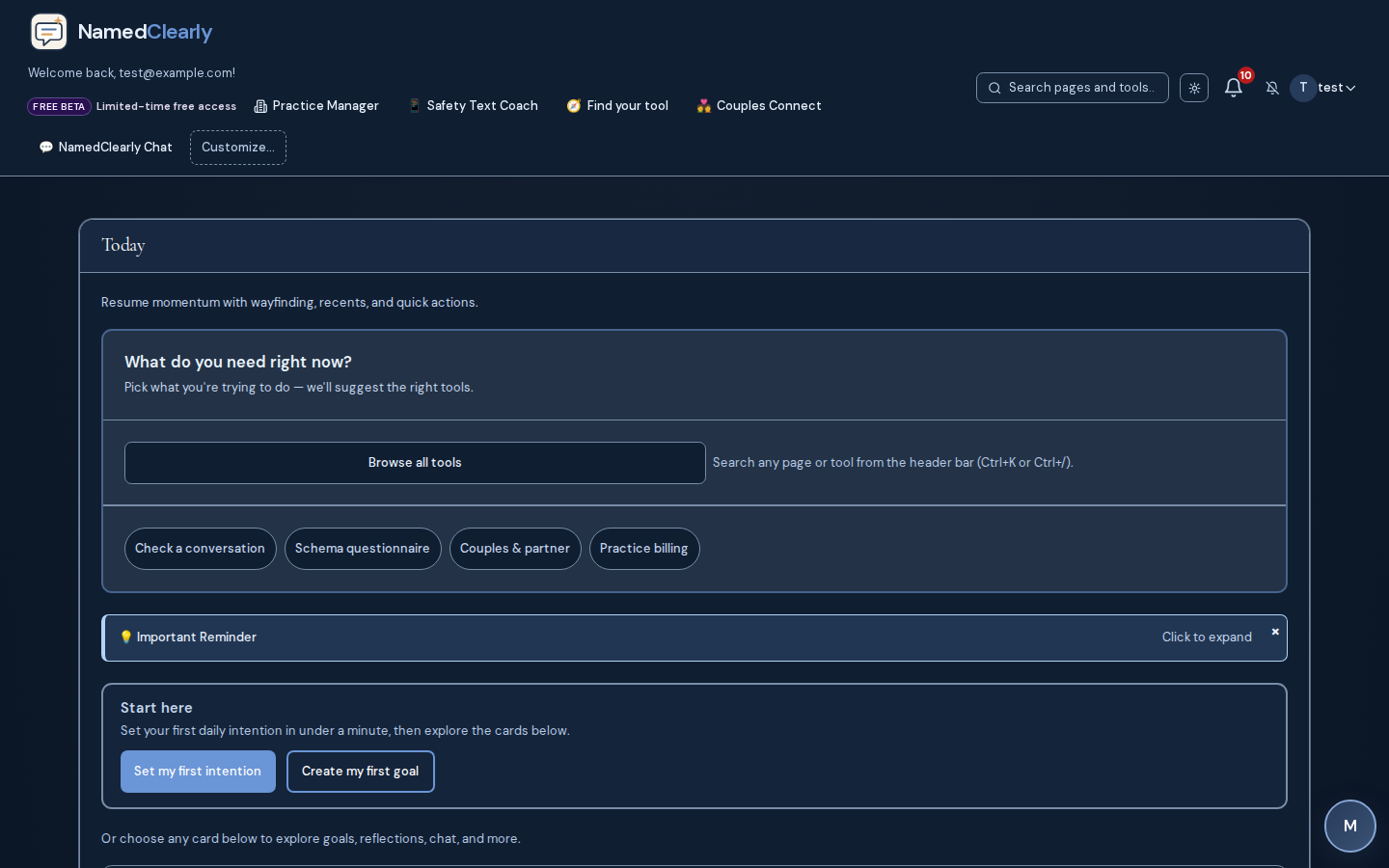
Reflections journal with AI-powered prompts and suggestions: Private journaling, structured goals, daily rhythm, and visibility into how you are moving forward.
Full product catalog
One workspace for reflection, couples connection, conversation clarity, faith rhythm, schema education, and optional practice operations.
NamedClearly ships a deep toolkit for personal growth, couples work, faith resources, and optional Coach-tier practice operations. 100+ named capabilities across 87+ dashboard tools. Search below or browse by the job you are trying to do.
100+
Named capabilities
87+
Dashboard tools
15
Product areas
80
Evidence-graded modalities
Tier highlights
New to schema concepts? Start with our public schema learn articles.
Each pillar maps to live product routes on this page. Open a section below for the full line-by-line checklist, or jump straight to the Help Center for step-by-step guides.
When wording feels high-stakes or patterns need a structured read.
Daily rhythm: goals, reflections, and therapeutic pathways.
Shared workflows when both partners use the platform.
Optional scripture and prayer workflows alongside reflection.
Clinics and coaches on eligible tiers.
Brainstorming and drafts—within product limits and policies.
Sixteen narrated areas in plain language—voiced by Emily (calm narrator). Each card matches a real screen from the product.
How to explore NamedClearly on this page
See the real product
Screenshots from live NamedClearly routes—not stock art or AI avatars.
Read plain English
Every capability and dashboard route explained without jargon walls.
Listen when you want
Optional Emily narration you control—play one topic, pause, and continue.
Headphones or quiet room recommended. Narration is informational—not therapy, legal advice, or emergency guidance.
One private workspace for reflection, couples connection, conversation clarity, faith rhythm, and optional practice operations—not a pile of separate apps.
Reflections, structured goals, check-ins, and progress views that stay in one timeline.
Several chat shells for reflection, how-to questions, Scripture, and therapeutic paths—plan and route dependent.
Bring SMS or chat exports in, customize the dashboard, and review activity history.
Direct messages, friends, and in-app alerts when you want to stay in touch inside the product.
Paste or upload conversations for structured, line-attributed reads—not clinical diagnosis or legal advice.
Single-purpose wizards plus optional multi-provider consensus where your deployment enables vendors.
Bible study, memorization, reading plans, prayer tools, and daily devotion when you want them.
Shared calendar, Fight Room, exercises, agreements, and partner-aware spaces when both people use the platform.
Family activities, biblical pathways, and co-parenting drills when your plan includes them.
Practice personas privately or share read-only profile links when your plan allows.
YSQ-R program, psychoeducation, and structured exercises—education, not licensed treatment.
Guidance grounded in a large, evidence-graded modality catalog—honest about contested practices.
Scheduling, portal, telehealth, billing, and claims for clinics on eligible tiers.
Marketing-grade `/p/` sites and `/book/` flows that match each practice's template.
Help Center deep links, crisis resources, PDF exports, and white-label options where enabled.
Want every line and dashboard route? Open the full tool walkthrough · Features checklist · Help Center
100 named capabilities and 87 member dashboard routes—searchable, scannable, and optional Emily narration.
How to explore NamedClearly on this page
See the real product
Screenshots from live NamedClearly routes—not stock art or AI avatars.
Read plain English
Every capability and dashboard route explained without jargon walls.
Listen when you want
Optional Emily narration you control—play one topic, pause, and continue.
Headphones or quiet room recommended. Narration is informational—not therapy, legal advice, or emergency guidance.
100 capability walkthroughs in 15 product areas
Private journaling, structured goals, daily rhythm, and visibility into how you are moving forward.
6 walkthroughs
Growth, journal & goals
Reflections journal with AI-powered prompts and suggestions: Private journaling, structured goals, daily rhythm, and visibility into how you are moving forward.
Growth, journal & goals
Weekly review, memory tools, and saved insights where enabled: Private journaling, structured goals, daily rhythm, and visibility into how you are moving forward.
Growth, journal & goals
Goals with categories, due dates, and progress tracking: Private journaling, structured goals, daily rhythm, and visibility into how you are moving forward.
Growth, journal & goals
Daily check-ins: mood, energy, and daily intention where configured
Growth, journal & goals
Progress charts, statistics, and growth readiness views: Private journaling, structured goals, daily rhythm, and visibility into how you are moving forward.
Growth, journal & goals
Readiness progression and growth-oriented nudges where enabled: Private journaling, structured goals, daily rhythm, and visibility into how you are moving forward.
Several chat experiences for reflection, how-to, Scripture, and therapeutic paths — availability and integrations depend on route and plan.
5 walkthroughs
AI chat & Scripture
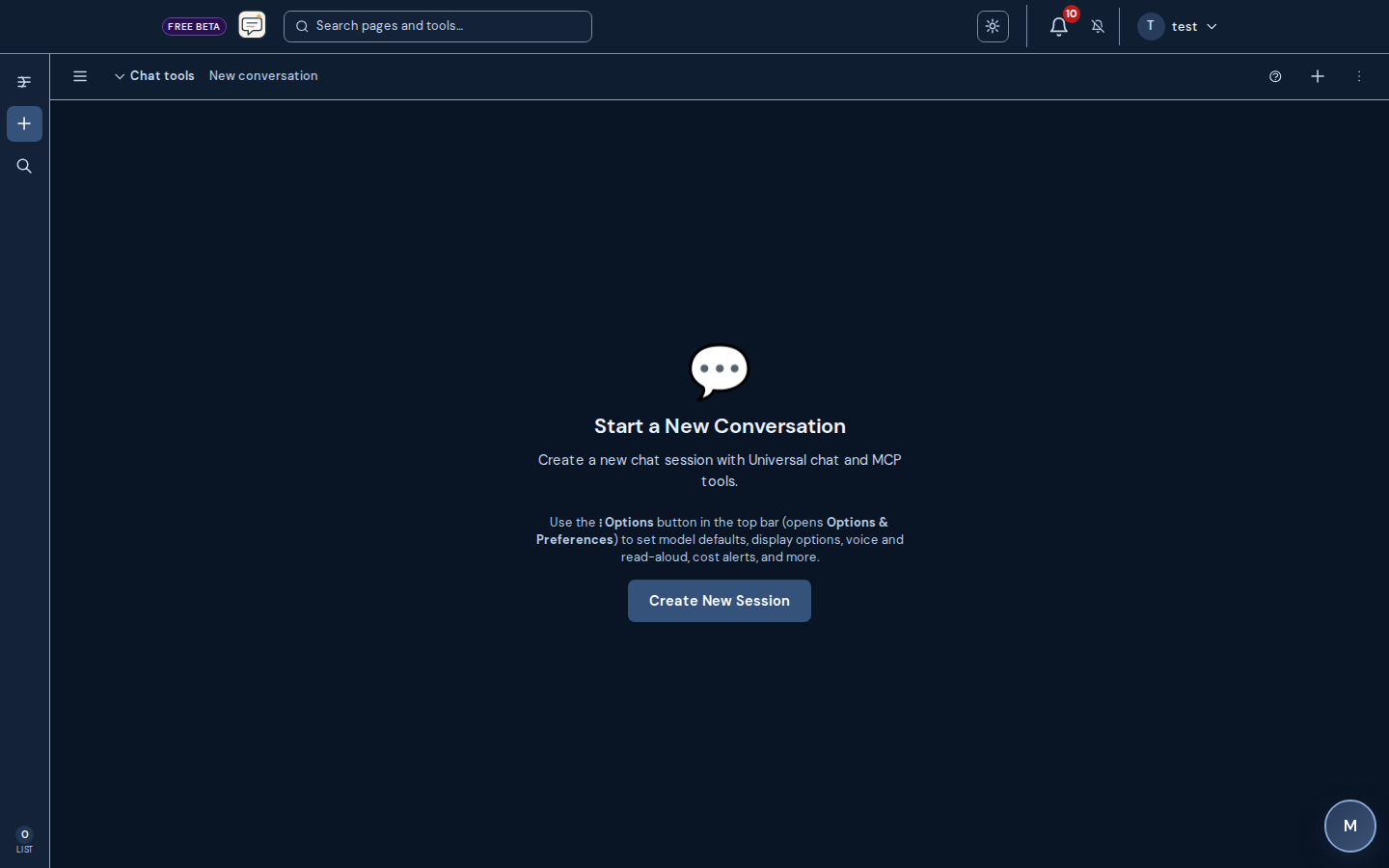
Universal chat: thread history, model selection, plan-aware usage limits; optional connected integrations (MCP) your host configures, plus NamedClearly built-in assistant tools, when the model supports structured tool calling
AI chat & Scripture
Growth chat: process thoughts with AI support in a dedicated flow
AI chat & Scripture
NamedClearly Chat: assistant tuned for how the platform works
AI chat & Scripture
Ask the Word: Scripture-grounded Q&A (availability depends on plan)
AI chat & Scripture
Therapeutic and schema-focused chats: NamedClearly built-in assistant tools only on those routes (third-party MCP connectors are not mixed into those flows)
Bring outside conversations in, shape your dashboard, and review or export your account trail.
6 walkthroughs
Workspace & import
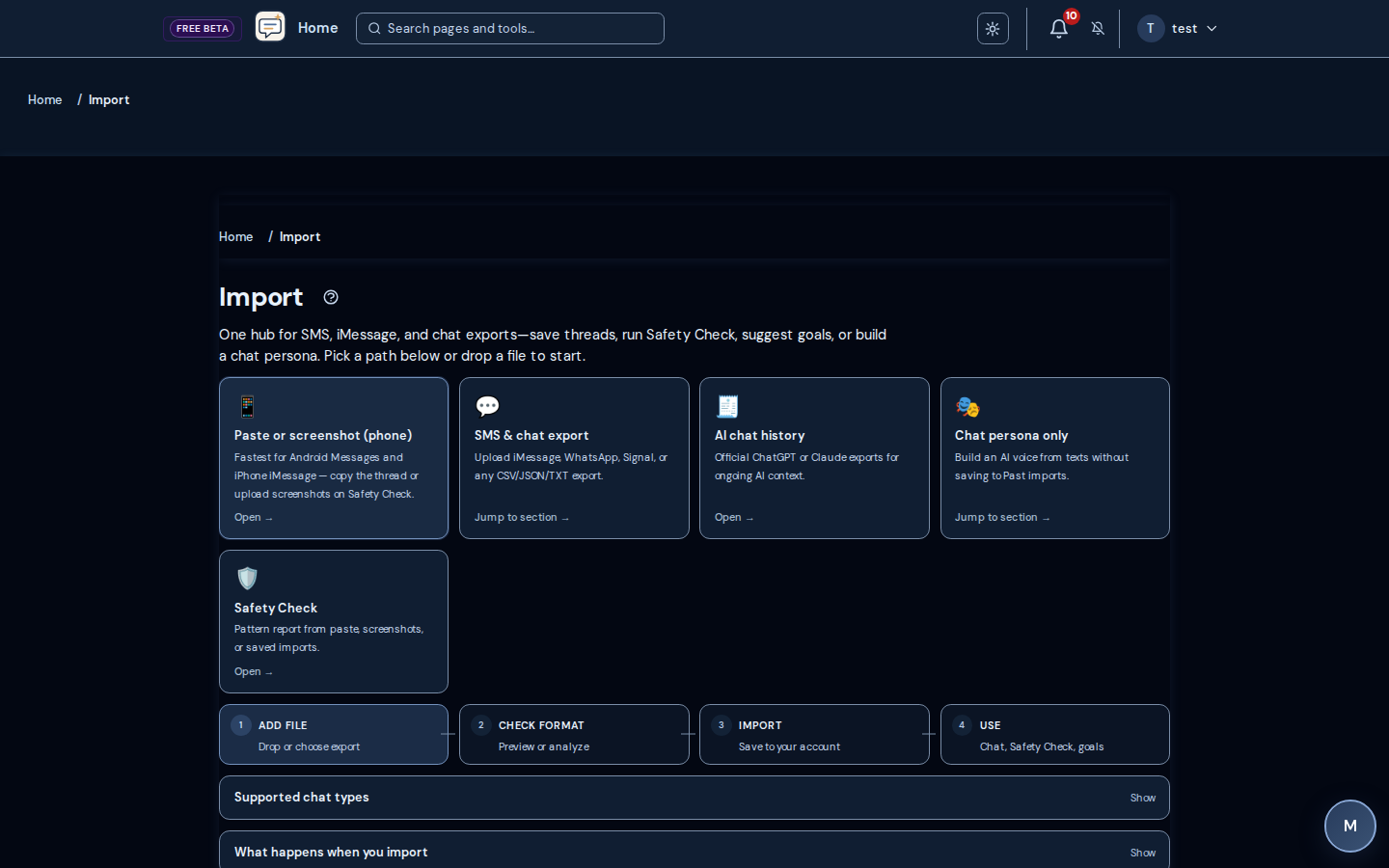
Import: upload SMS/chat exports for analysis and AI persona creation where enabled
Workspace & import
Import ChatGPT conversation history for continuity where enabled: Bring outside conversations in, shape your dashboard, and review or export your account trail.
Workspace & import
Find Your Tool: guided discovery across dashboard tools
Workspace & import
Dashboard customization: show or hide sections and drag to reorder layout
Workspace & import
Session history and activity timeline across eligible tools: Bring outside conversations in, shape your dashboard, and review or export your account trail.
Workspace & import
Account data export and deletion flows where available (see Account /…: Bring outside conversations in, shape your dashboard, and review or export your account trail.
Stay in touch with people you trust and see what needs attention across the workspace.
4 walkthroughs
Messages & notifications
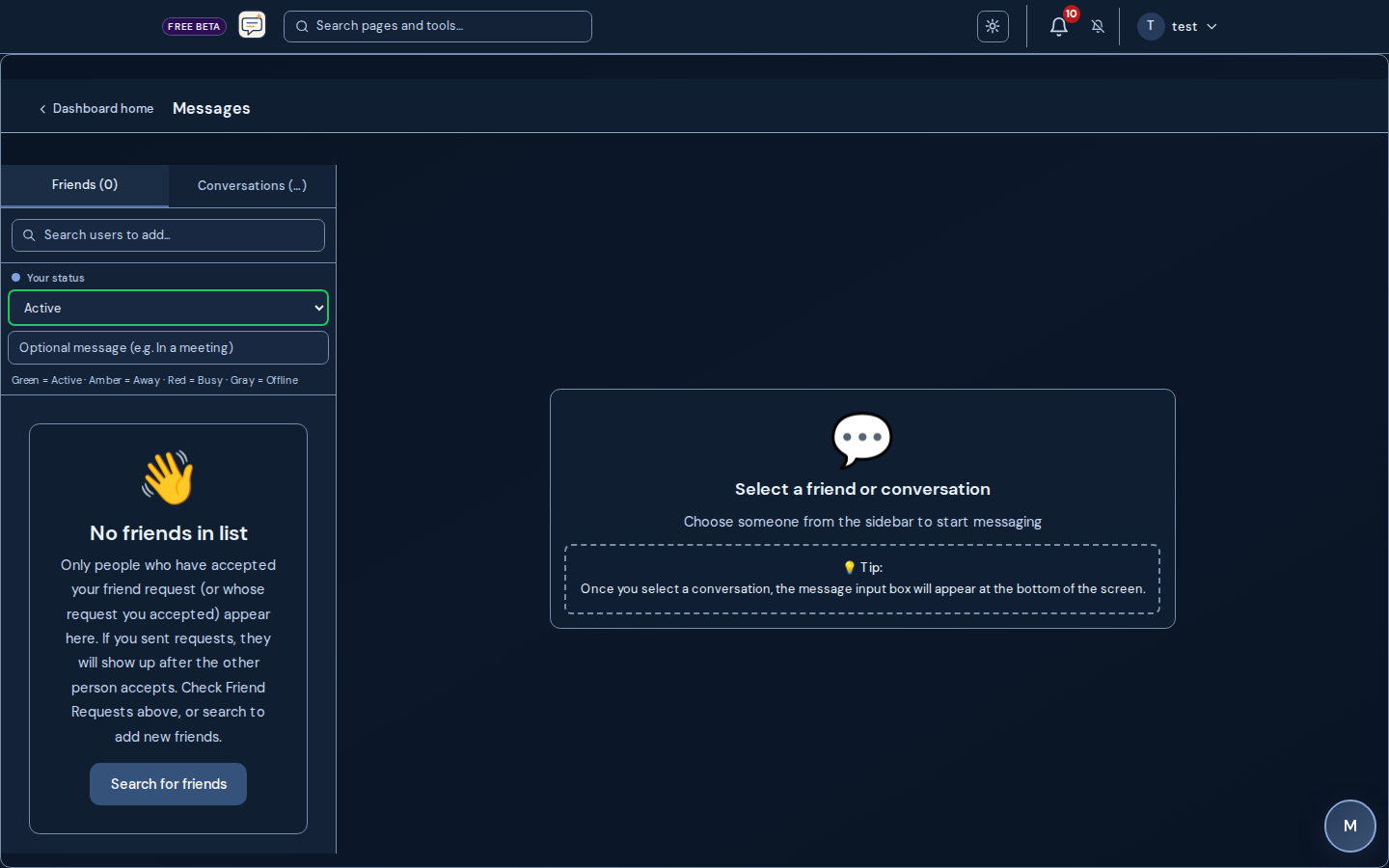
Messages: direct messages with threaded conversations
Messages & notifications
Friends list and online presence where enabled: Stay in touch with people you trust and see what needs attention across the workspace.
Messages & notifications
In-app notifications for reminders, invites, and product updates: Stay in touch with people you trust and see what needs attention across the workspace.
Messages & notifications
Notification preferences where configurable: Stay in touch with people you trust and see what needs attention across the workspace.
Draft with care, reflect on impact, and compare patterns over time — not clinical care or legal advice.
15 walkthroughs
Safety & evaluations
Communications Wizard: draft or refine messages with guided AI feedback
Safety & evaluations
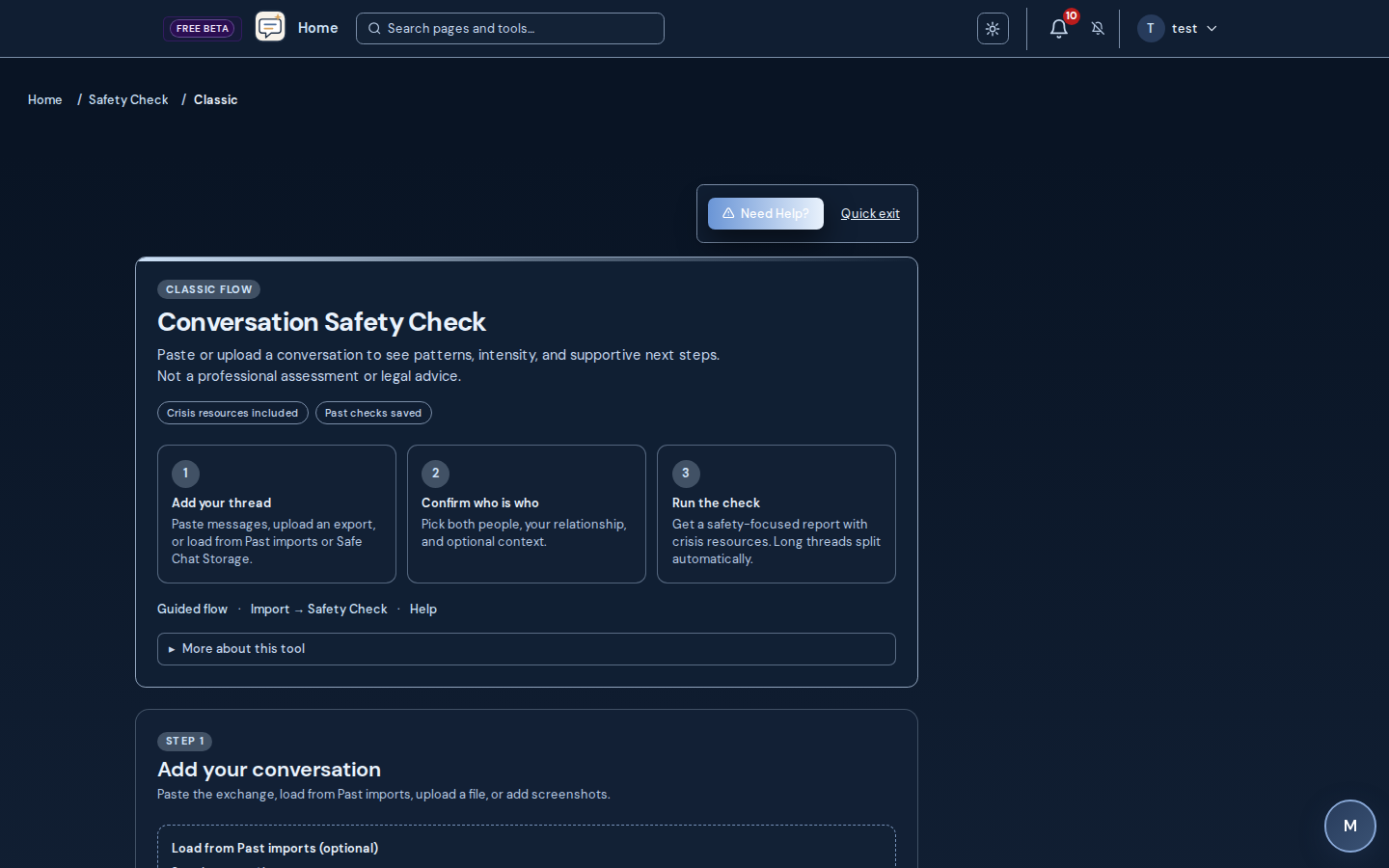
Safety Check: relationship-aware conversation analysis with line-attributed evidence (not clinical care)
Safety & evaluations
Safety Check: paste text or import SMS/chat exports; upload audio (MP3, M4A, WAV, WebM, MP4, MPEG, MPGA — transcribed for the same analysis as text)
Safety & evaluations
Safety Check: image and screenshot ingest (file upload plus up to eight mobile screenshots per check via vision OCR)
Safety & evaluations
Safety Check: remembers patterns across runs in the same relationship context; escalation vs your recent checks
Safety & evaluations
Safety Check: optional concern goals before the run (communication, recognition, recovery, boundaries, gaslighting-style denial, validation, dialogue coaching)
Safety & evaluations
Safety Check: regression-tested on 36 benchmark transcripts including benign banter, flirtation, mutual support, and neurodiverse direct communication
Safety & evaluations
Safety Check: saved reports show which analysis version produced the headline score (version receipt); reopening Past checks does not silently rewrite stored scores
Safety & evaluations
Safety Check: band-first severity hero with tier stabilization across recent relationship checks; precise /100 and version receipt in detail; provisional callout and re-run when safeguards adjust examples
Safety & evaluations
Safety Check: victim/abuser role labels off unless you opt in; timed share links (expiry and max views), PDF/text/CSV export, optional law lens
Safety & evaluations
Safety Check: optional timing-pattern summaries from past runs (weekday and month views in UTC) when enough history exists — descriptive only, not a prediction
Safety & evaluations
Bible Evaluation: evaluate wording against Scripture categories (reflection and pastoral preparation)
Safety & evaluations
Pastor’s Lens: pastoral-requirements scorecard with evidence you can download or share
Safety & evaluations
Longitudinal Evaluation: DSM-5-TR–style longitudinal report where enabled; the same signals feed the platform unified longitudinal context used in AI personalization alongside YSQ workbook themes and recent Bible-evaluation categories
Safety & evaluations
Case Prep: guided evidence organizer and attorney brief export for counsel (not legal advice; separate from the Safety Check report UI)
Structured single-purpose flows plus multi-provider analysis: the codebase ships many optional provider integrations (OpenAI, Anthropic, Google, OpenRouter, gateways, and more — see the provider registry). Each integration exposes one or more model IDs when keys are set; Frankenstein runs parallel chat completions across the subset you pick on each run. There is no fixed vendor-wide “180 models” catalog wired into the product — practical concurrency is bounded by plan limits and what your deployment enables.
5 walkthroughs
Wizards & consensus
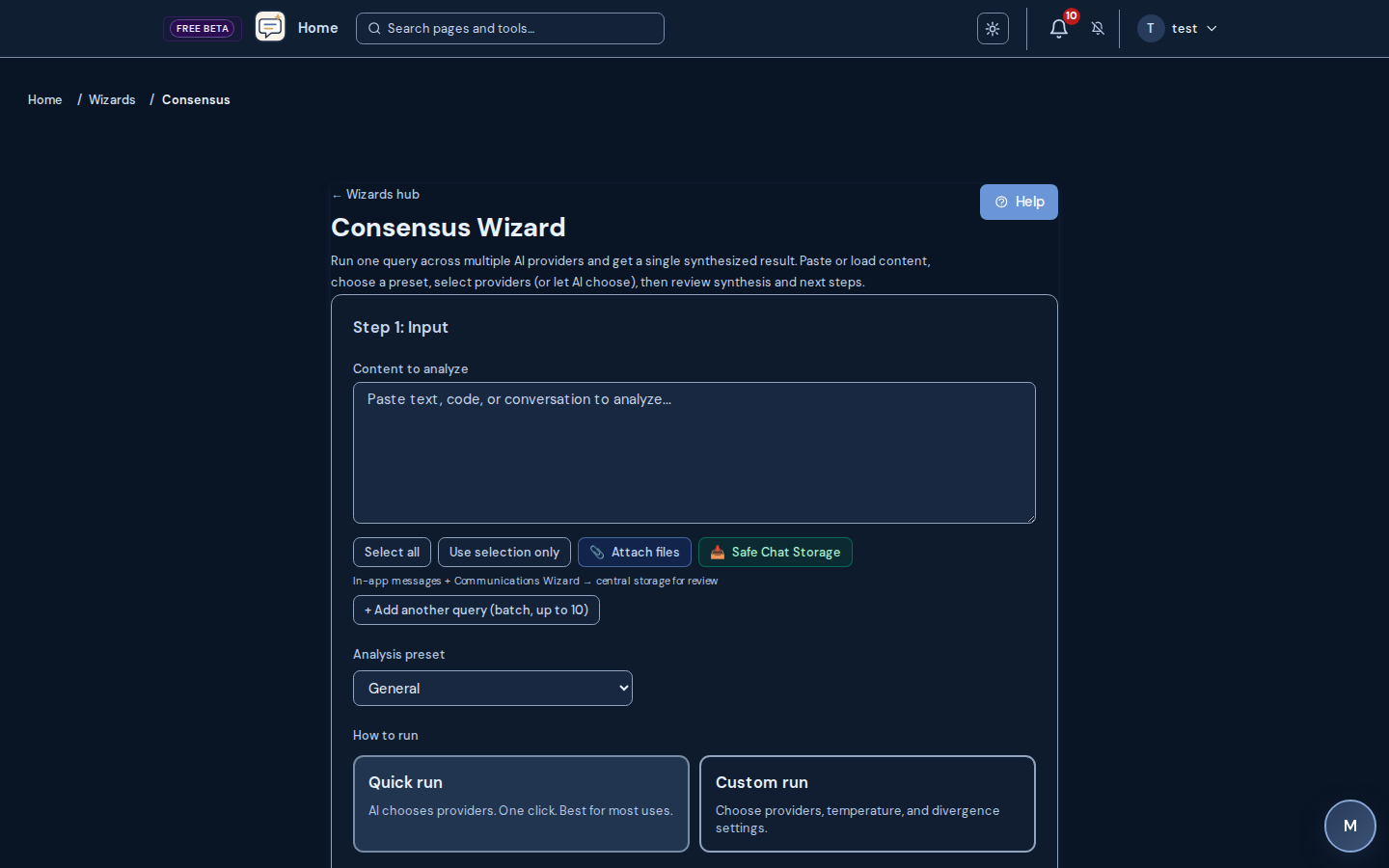
Safe Chat Storage: gather threads and send to multi-model analysis
Wizards & consensus
Prompt, Pre-process, Legal, Code, Summarization, Decision, and Email…: Structured single-purpose flows plus multi-provider analysis: the codebase ships many optional provider integrations (OpenAI, Anthropic, Google, OpenRouter, gateways, and more — see the provider registry). Each integration exposes one or more model IDs when keys are set; Frankenstein runs parallel chat completions across the subset you pick on each run. There is no fixed vendor-wide “180 models” catalog wired into the product — practical concurrency is bounded by plan limits and what your deployment enables.
Wizards & consensus
Gottman Language, Attachment Type, Biblical Decision, and Consensus w…: Structured single-purpose flows plus multi-provider analysis: the codebase ships many optional provider integrations (OpenAI, Anthropic, Google, OpenRouter, gateways, and more — see the provider registry). Each integration exposes one or more model IDs when keys are set; Frankenstein runs parallel chat completions across the subset you pick on each run. There is no fixed vendor-wide “180 models” catalog wired into the product — practical concurrency is bounded by plan limits and what your deployment enables.
Wizards & consensus
NPD Training Wizard: educational pattern-awareness exercises (not diagnostic)
Wizards & consensus
Frankenstein Language Analyzer: parallel calls to the AI providers you select from those your host configured; synthesized consensus answer (usage and limits depend on plan; not a fixed global model count)
Scripture reading, memory work, prayer structure, and daily devotionals in one faith area.
8 walkthroughs
Faith & Bible
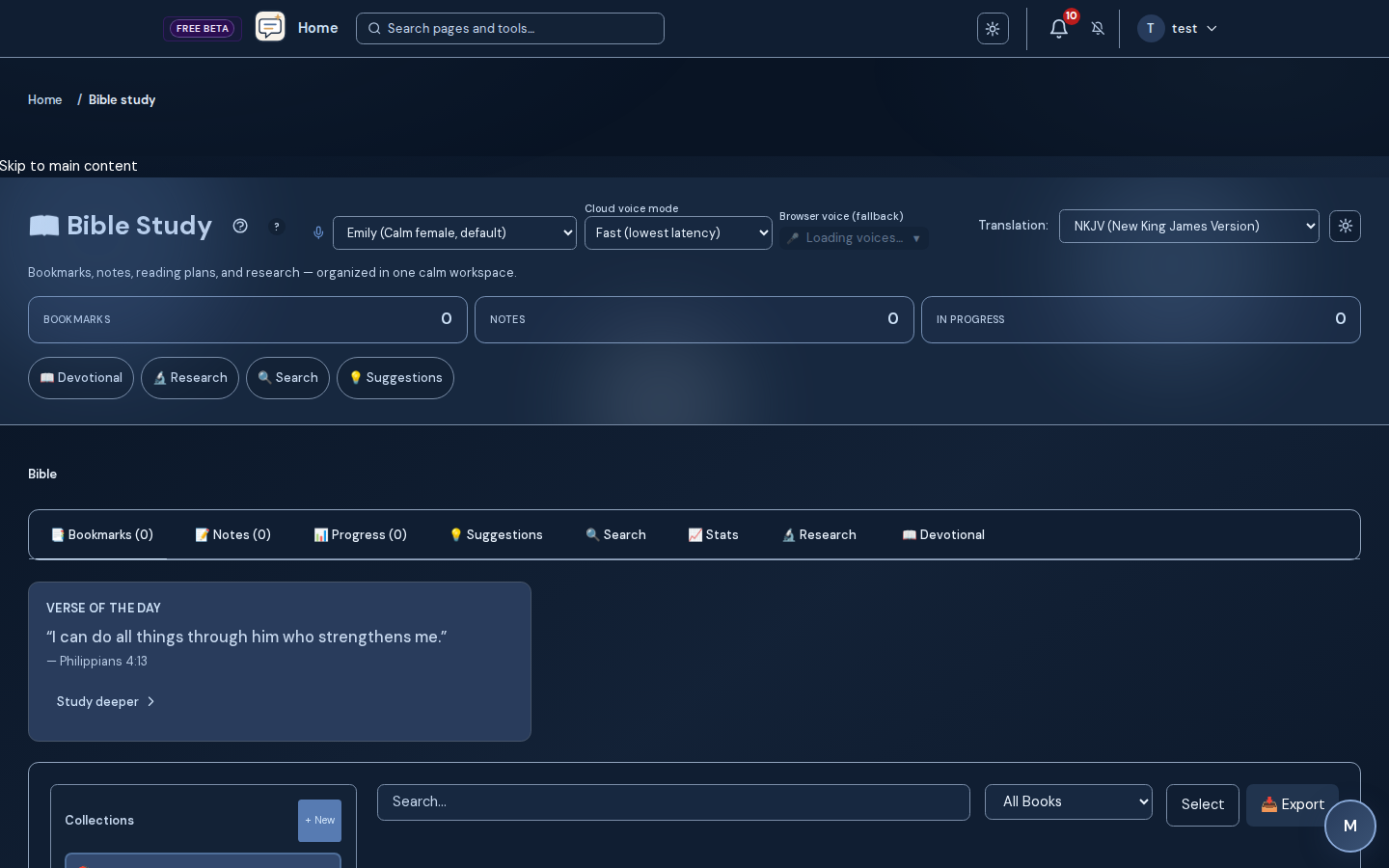
Bible search, bookmarks, notes, chapter reading, and verse context tools: Scripture reading, memory work, prayer structure, and daily devotionals in one faith area.
Faith & Bible
Verse memorization, explain-why helpers, and linking verses to reflec…: Scripture reading, memory work, prayer structure, and daily devotionals in one faith area.
Faith & Bible
Reading plans and verse collections with study templates (SOAP, induc…: Scripture reading, memory work, prayer structure, and daily devotionals in one faith area.
Faith & Bible
Personalized reading suggestions on eligible plans: Scripture reading, memory work, prayer structure, and daily devotionals in one faith area.
Faith & Bible
Prayer Wizard: structure prayer requests and reflections
Faith & Bible
Prayer Requests: share and track requests (including with friends) where enabled
Faith & Bible
Devotion Connect: daily devotionals with reflection questions
Faith & Bible
Text-to-speech and narration helpers for Bible and long reads where e…: Scripture reading, memory work, prayer structure, and daily devotionals in one faith area.
Partner-aware spaces for calendars, tasks, repair, agreements, and playful connection — plan and link state may apply.
10 walkthroughs
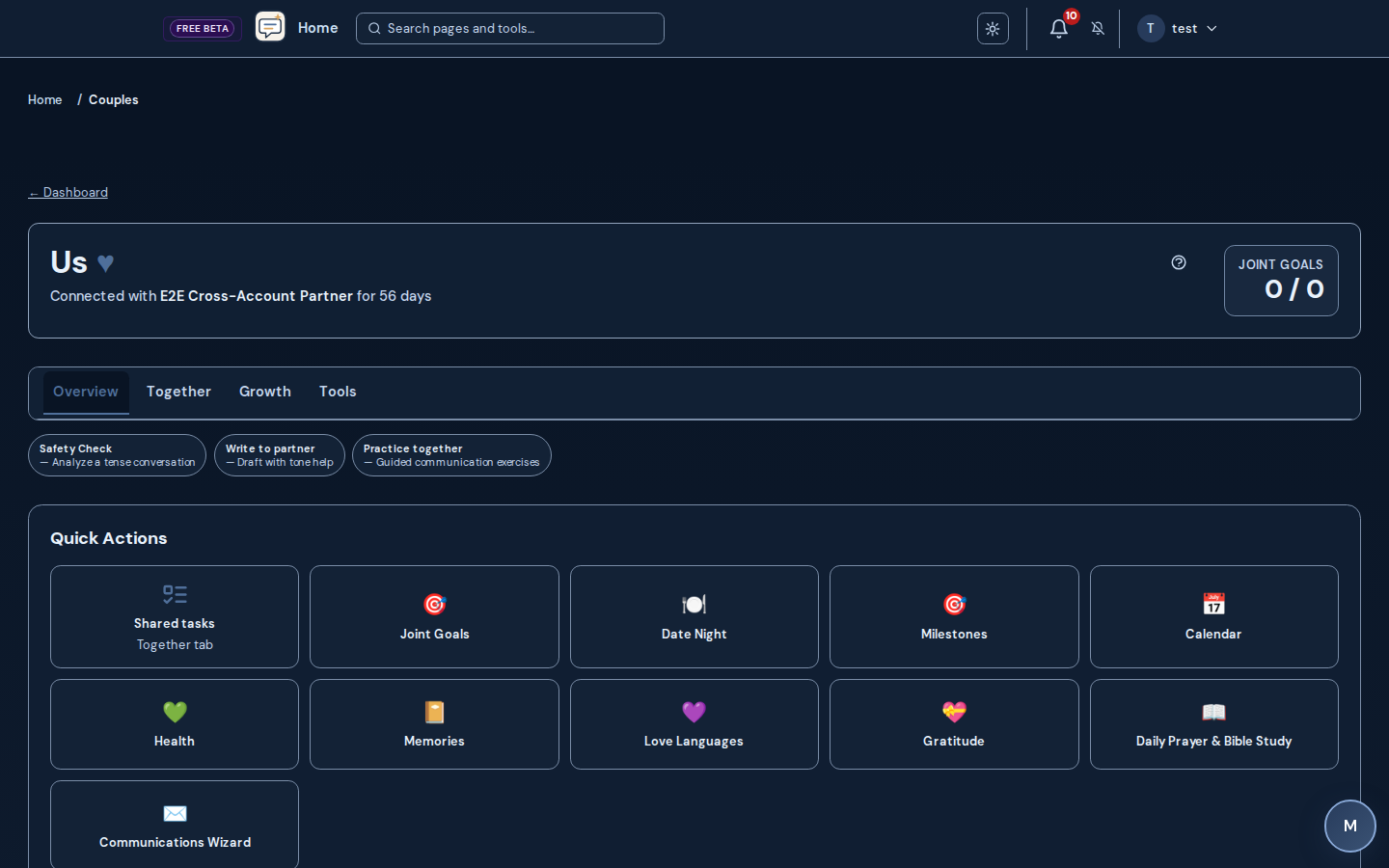
Couples Connect
Fight Room: AI-moderated conflict resolution with saved sessions
Couples Connect
Couples exercises, boundaries, gratitude, milestones, and relationshi…: Partner-aware spaces for calendars, tasks, repair, agreements, and playful connection — plan and link state may apply.
Couples Connect
Shared calendar: schedule date nights and events, shared edits, and calendar-style invites
Couples Connect
Shared task list: import from a photo, a text file (.txt, .md, .csv), or a pasted list; review lines then add as shared tasks, one-partner tasks, or personal goals
Couples Connect
Relationship agreements and contracts: structured parts (headings and what you agree to), reorder, AI-suggested draft parts; both partners sign where configured
Couples Connect
Love Languages, shared memories (emoji reactions and comments), and D…: Partner-aware spaces for calendars, tasks, repair, agreements, and playful connection — plan and link state may apply.
Couples Connect
Cycle-breaker and repair-oriented flows where enabled: Partner-aware spaces for calendars, tasks, repair, agreements, and playful connection — plan and link state may apply.
Couples Connect
Couples roleplay reflection: practice dialogue together with structured debriefs
Couples Connect
Partner connection, invite flows, shared dashboard, partner activity…: Partner-aware spaces for calendars, tasks, repair, agreements, and playful connection — plan and link state may apply.
Couples Connect
Conflicts workspace and co-parenting-aware surfaces where your accoun…: Partner-aware spaces for calendars, tasks, repair, agreements, and playful connection — plan and link state may apply.
Kid-aware framing and family communication drills — availability depends on plan and configuration.
4 walkthroughs
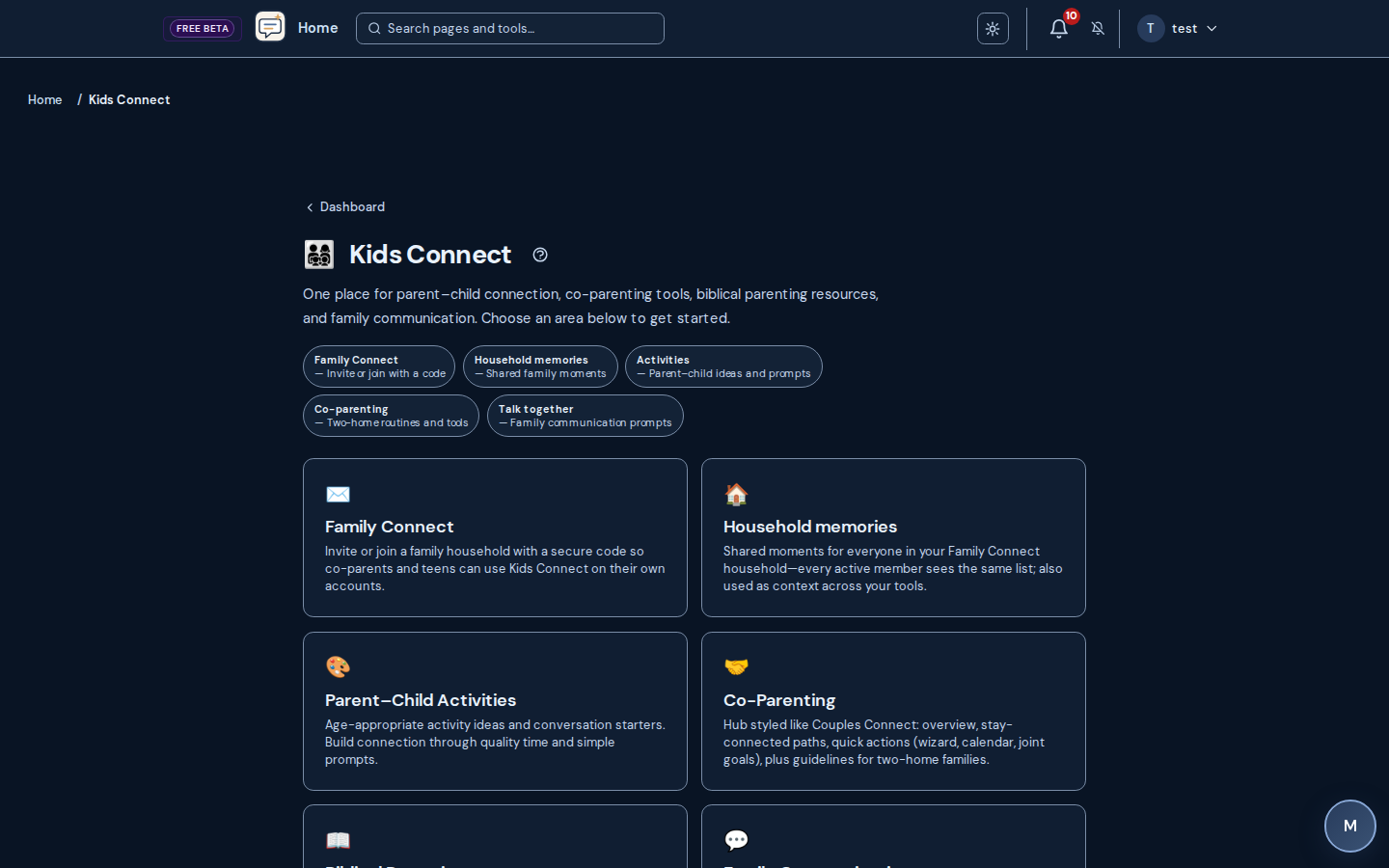
Kids Connect
Family activities hub with guided ideas: Kid-aware framing and family communication drills — availability depends on plan and configuration.
Kids Connect
Biblical pathways and kid-appropriate framing where configured: Kid-aware framing and family communication drills — availability depends on plan and configuration.
Kids Connect
Co-parenting and family-communication drills: Kid-aware framing and family communication drills — availability depends on plan and configuration.
Kids Connect
Family invite flows to bring members into shared experiences: Kid-aware framing and family communication drills — availability depends on plan and configuration.
Practice coaching-style dialogue privately or share a read-only relationship profile link when your plan allows.
3 walkthroughs
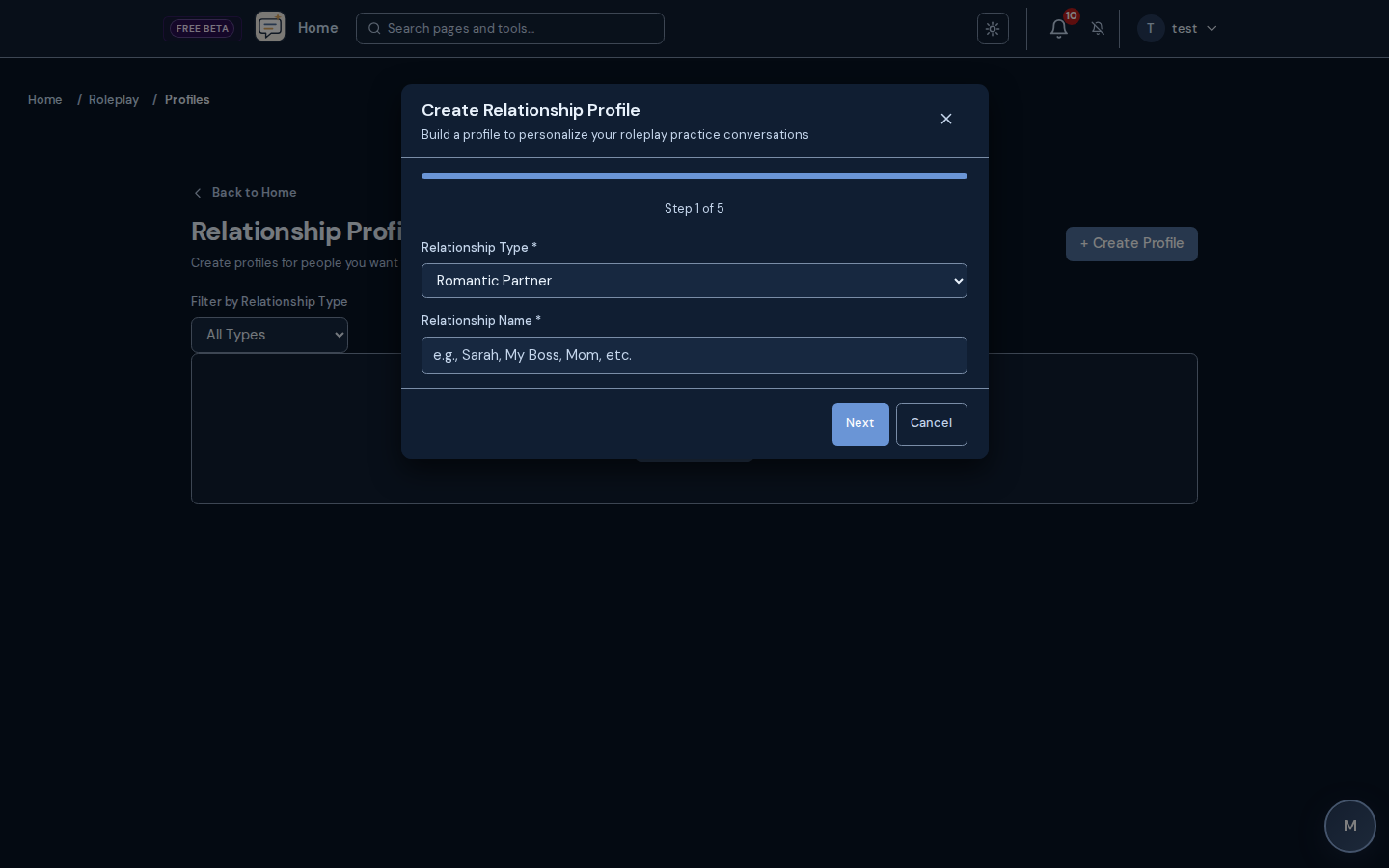
Roleplay & shares
Roleplay profiles: save personas, goals, and guardrails for repeated practice
Roleplay & shares
Solo practice sessions with structured feedback and session history: Practice coaching-style dialogue privately or share a read-only relationship profile link when your plan allows.
Roleplay & shares
Relationship practice profiles: optional timed read-only share links (expiry, max opens, optional email verification before view) for coaching handoff — plan-dependent
Structured therapeutic education and questionnaires — not a replacement for licensed care.
10 walkthroughs
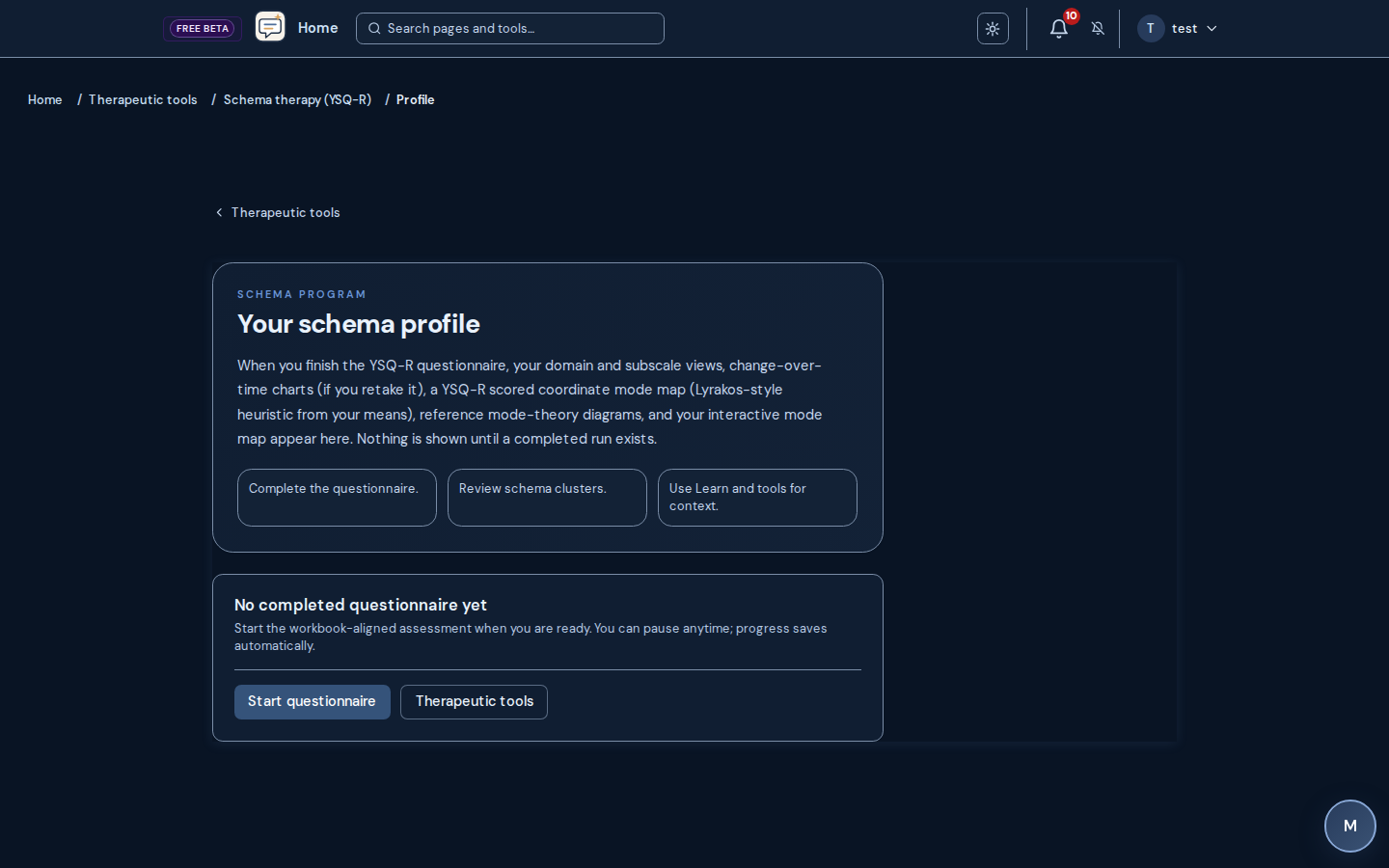
Therapeutic & schema
Therapeutic hub: exercises, chat-style support, and progress views (availability varies by plan)
Therapeutic & schema
Schema Therapy Program (YSQ-R): stepwise questionnaire and domain scoring aligned to the workbook rule
Therapeutic & schema
YSQ-R profile dashboard and printable clinical report layouts tuned f…: Structured therapeutic education and questionnaires — not a replacement for licensed care.
Therapeutic & schema
YSQ-R report PDF export when enabled for your account: Structured therapeutic education and questionnaires — not a replacement for licensed care.
Therapeutic & schema
Schema psychoeducation articles and program hubs (including learn-you…: Structured therapeutic education and questionnaires — not a replacement for licensed care.
Therapeutic & schema
Cognitive session flows, belief audit, and structured therapeutic exe…: Structured therapeutic education and questionnaires — not a replacement for licensed care.
Therapeutic & schema
Present for the Next Generation: guided legacy and family-forward reflection where enabled
Therapeutic & schema
Father–son repair track and accountability check-ins where enabled: Structured therapeutic education and questionnaires — not a replacement for licensed care.
Therapeutic & schema
Personal inventories and longitudinal-style therapeutic reports when…: Structured therapeutic education and questionnaires — not a replacement for licensed care.
Therapeutic & schema
Therapeutic exercises library: browse by topic (availability varies)
NamedClearly’s guidance, Safety Check reasoning, and schema work are grounded in a research-backed modality library spanning 80 therapeutic modalities — each rated for evidence strength and handled honestly, from gold-standard to contested to explicitly harmful. Education and psychoeducation, not clinical care.
7 walkthroughs
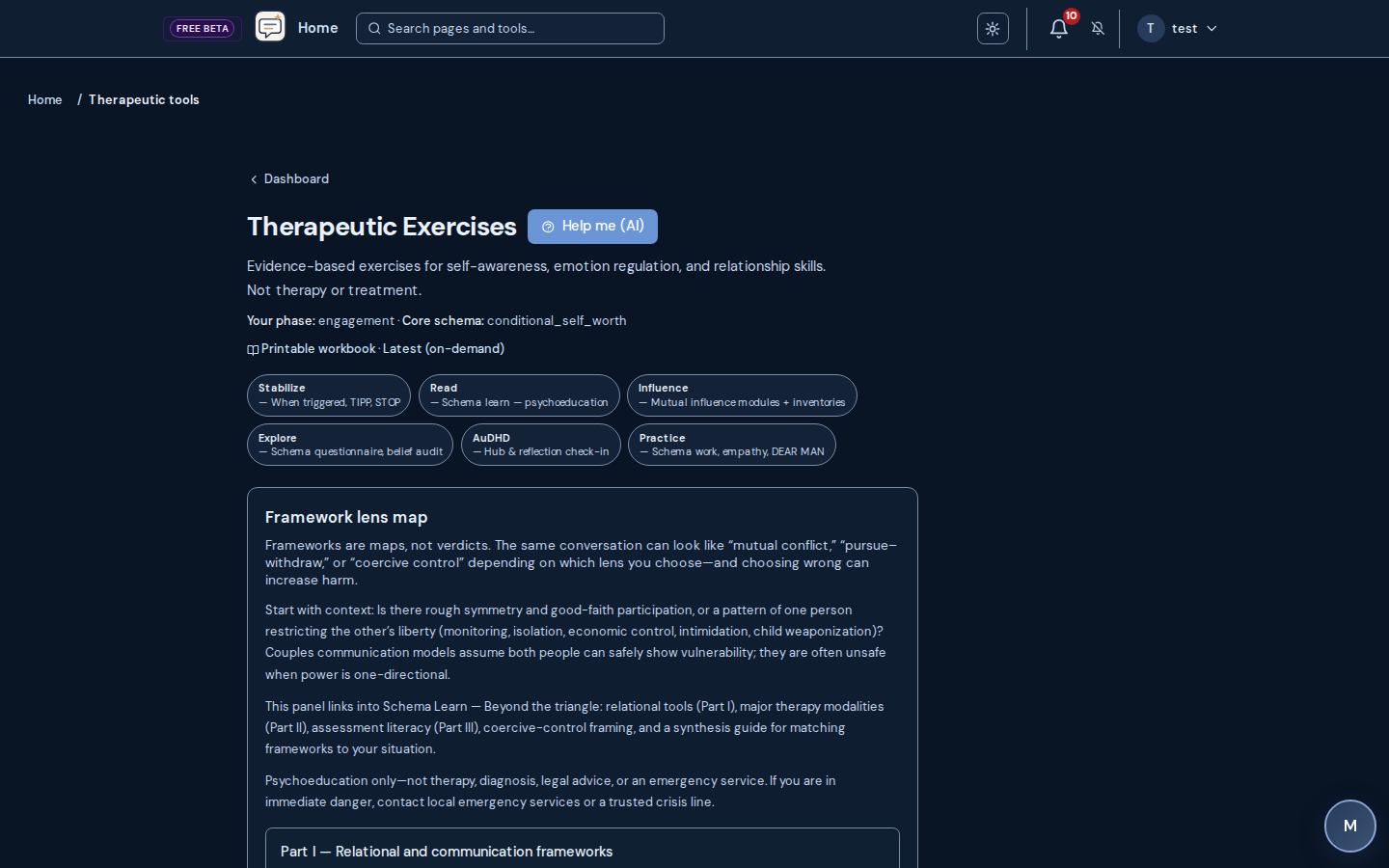
Evidence-based modalities
Grounded in 80 therapeutic modalities: from CBT, DBT, EMDR, ACT, and Gottman/EFT to schema therapy, IFS, and family-systems approaches
Evidence-based modalities
Every modality evidence-graded (strong, moderate, limited, contested, emerging, or harmful) so guidance reflects what the research actually supports: not hype
Evidence-based modalities
Honest about contested and harmful practices: thin-evidence approaches are flagged and condemned ones are never endorsed (for example conversion therapy and holding/rebirthing)
Evidence-based modalities
Worldwide regulatory awareness: health-authority endorsements (NICE, WHO, VA/DoD) and legal or approval status (conversion-therapy bans; investigational MDMA/psilocybin) noted by jurisdiction, not US-only
Evidence-based modalities
Trauma-informed floor (SAMHSA’s six principles) across every surface,…: NamedClearly’s guidance, Safety Check reasoning, and schema work are grounded in a research-backed modality library spanning 80 therapeutic modalities — each rated for evidence strength and handled honestly, from gold-standard to contested to explicitly harmful. Education and psychoeducation, not clinical care.
Evidence-based modalities
Neurodivergent-affirming (AuDHD) adaptations woven through schema and…: NamedClearly’s guidance, Safety Check reasoning, and schema work are grounded in a research-backed modality library spanning 80 therapeutic modalities — each rated for evidence strength and handled honestly, from gold-standard to contested to explicitly harmful. Education and psychoeducation, not clinical care.
Evidence-based modalities
Schema Therapy (YSQ-R) as the relational spine, with companion modali…: NamedClearly’s guidance, Safety Check reasoning, and schema work are grounded in a research-backed modality library spanning 80 therapeutic modalities — each rated for evidence strength and handled honestly, from gold-standard to contested to explicitly harmful. Education and psychoeducation, not clinical care.
Operate a small practice or coaching business with client-facing portal and back-office tools on eligible tiers.
9 walkthroughs
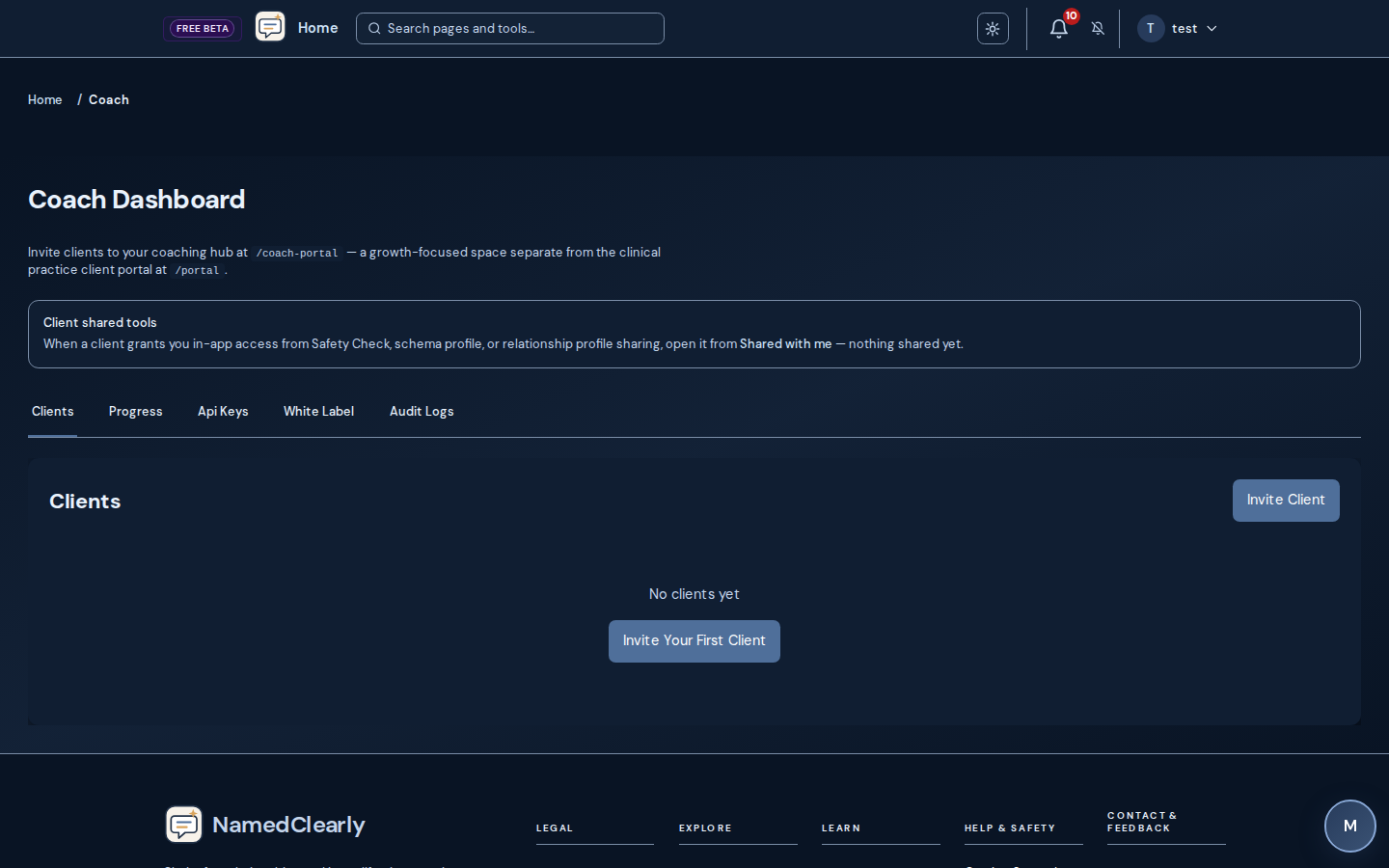
Coach & practice
Practice dashboard: clients, appointments, encounters, and internal tasks
Coach & practice
Scheduling, waitlist, and intake workflows where configured: Operate a small practice or coaching business with client-facing portal and back-office tools on eligible tiers.
Coach & practice
Telehealth visits with join links and optional recordings (Daily.co;…: Operate a small practice or coaching business with client-facing portal and back-office tools on eligible tiers.
Coach & practice
Billing, invoices, claims, and prior authorizations where enabled: Operate a small practice or coaching business with client-facing portal and back-office tools on eligible tiers.
Coach & practice
Patient portal: appointments, HTML documents and e-sign, secure messaging, billing views, and encrypted file drops from the provider where enabled
Coach & practice
Client YSQ-R in the practice workspace: open the same responsive clinical report and PDF-style flow from the client chart where your tier includes those tools
Coach & practice
Multi-user support for clients and staff on eligible tiers: Operate a small practice or coaching business with client-facing portal and back-office tools on eligible tiers.
Coach & practice
Internal compliance and audit-oriented workspaces for providers where…: Operate a small practice or coaching business with client-facing portal and back-office tools on eligible tiers.
Coach & practice
Diligence-friendly boundaries: fragmented therapeutic stores, consent-governed partner/household AI context, host-dependent LLM vendors, no Postgres RLS as the in-app DB guarantee: see /help#coach-tier-diligence
Marketing-grade public pages and booking that match each practice’s site template.
3 walkthroughs
Public practice sites
Public practice site (`/p/{slug}`): configurable sections, FAQ, and contact blocks
Public practice sites
Online booking (`/book/{slug}`): pick a time and submit a booking request
Public practice sites
Contact routing: `/contact?practice=` with your public booking slug matches scheduling links
Safety-oriented links, documentation, exports, and branding controls where your agreement allows them.
5 walkthroughs

Help & crisis resources
Crisis resources and crisis-line prominence where the product surface…: Safety-oriented links, documentation, exports, and branding controls where your agreement allows them.
Help & crisis resources
Help Center deep links and in-context help on major pages: Safety-oriented links, documentation, exports, and branding controls where your agreement allows them.
Help & crisis resources
PDF and printable exports for eligible reports (for example YSQ-R and…: Safety-oriented links, documentation, exports, and branding controls where your agreement allows them.
Help & crisis resources
White-label and branded portal options for coaches and clinics where…: Safety-oriented links, documentation, exports, and branding controls where your agreement allows them.
Help & crisis resources
HIPAA-aligned technical safeguards where your agreement and configura…: Safety-oriented links, documentation, exports, and branding controls where your agreement allows them.
Signed-in members can launch any route from Find Your Tool. Compare tiers on Pricing.
Search 15 product areas or filter by who you are and what you need right now.
100 capabilities listed below
Private journaling, structured goals, daily rhythm, and visibility into how you are moving forward.
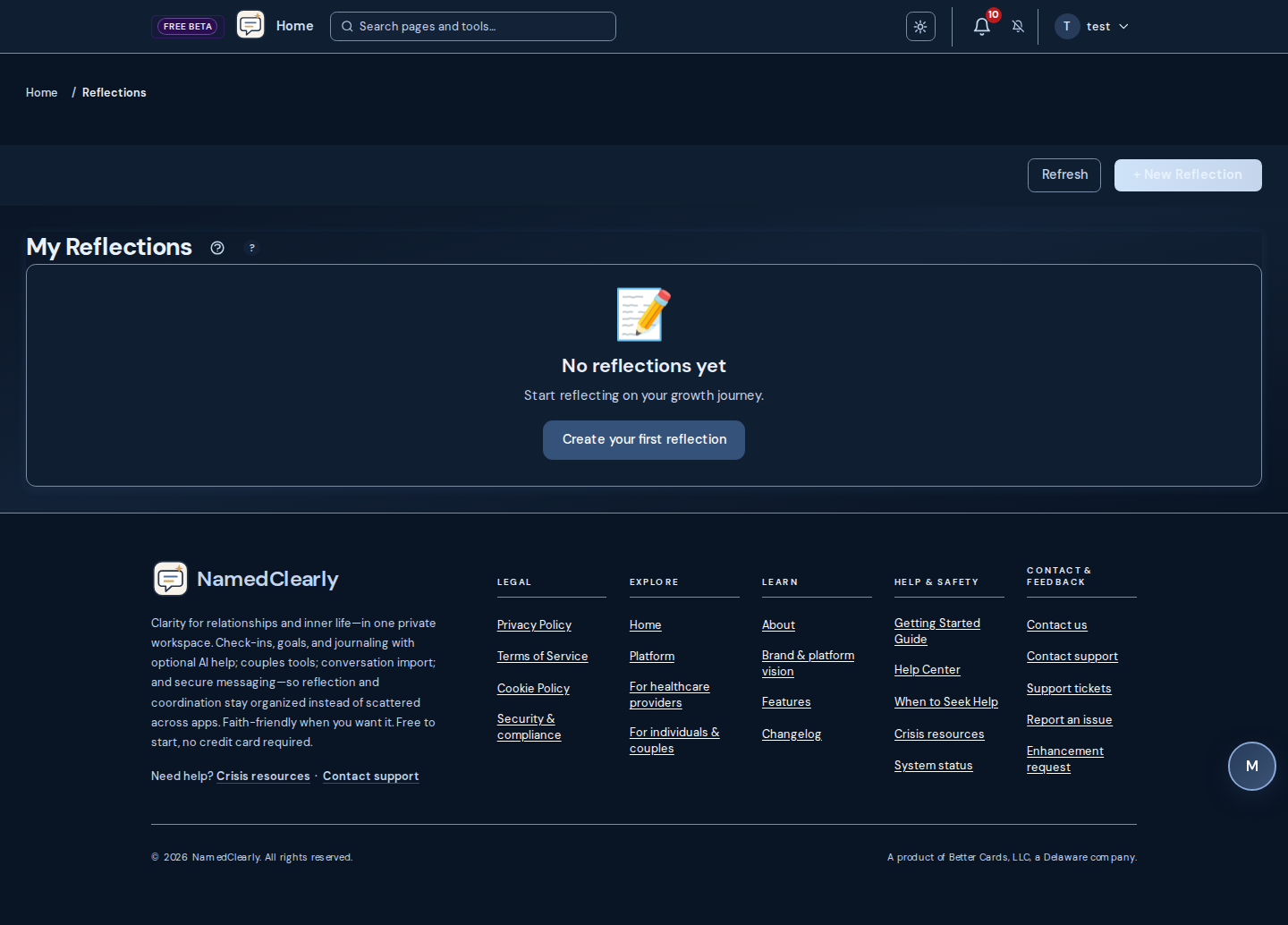
Several chat experiences for reflection, how-to, Scripture, and therapeutic paths — availability and integrations depend on route and plan.

Bring outside conversations in, shape your dashboard, and review or export your account trail.
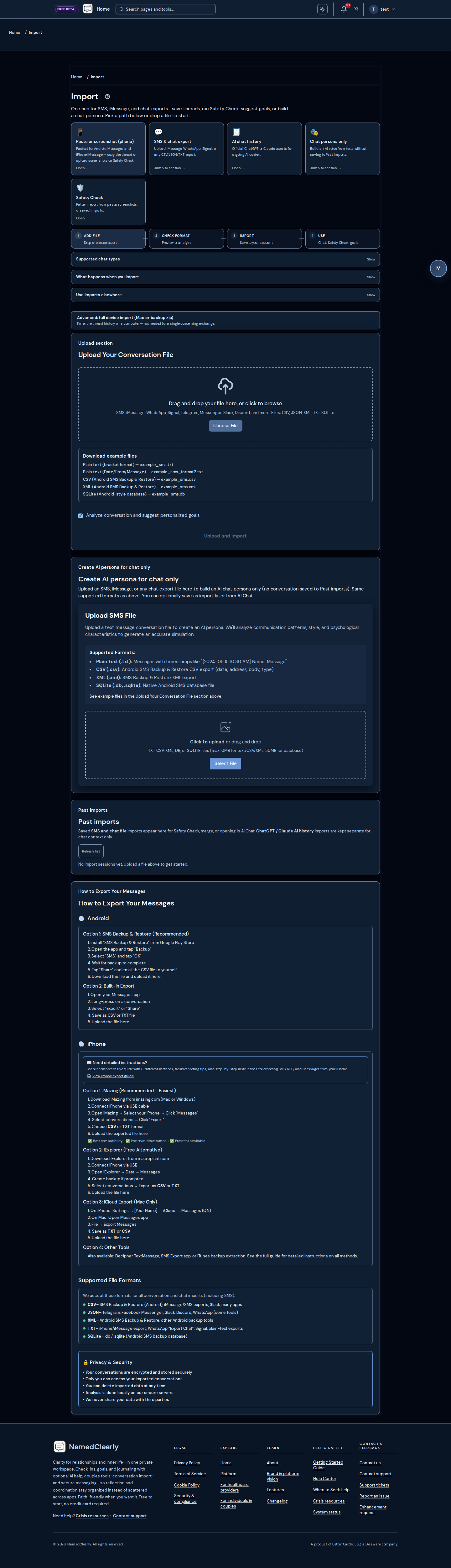
Stay in touch with people you trust and see what needs attention across the workspace.

Draft with care, reflect on impact, and compare patterns over time — not clinical care or legal advice.
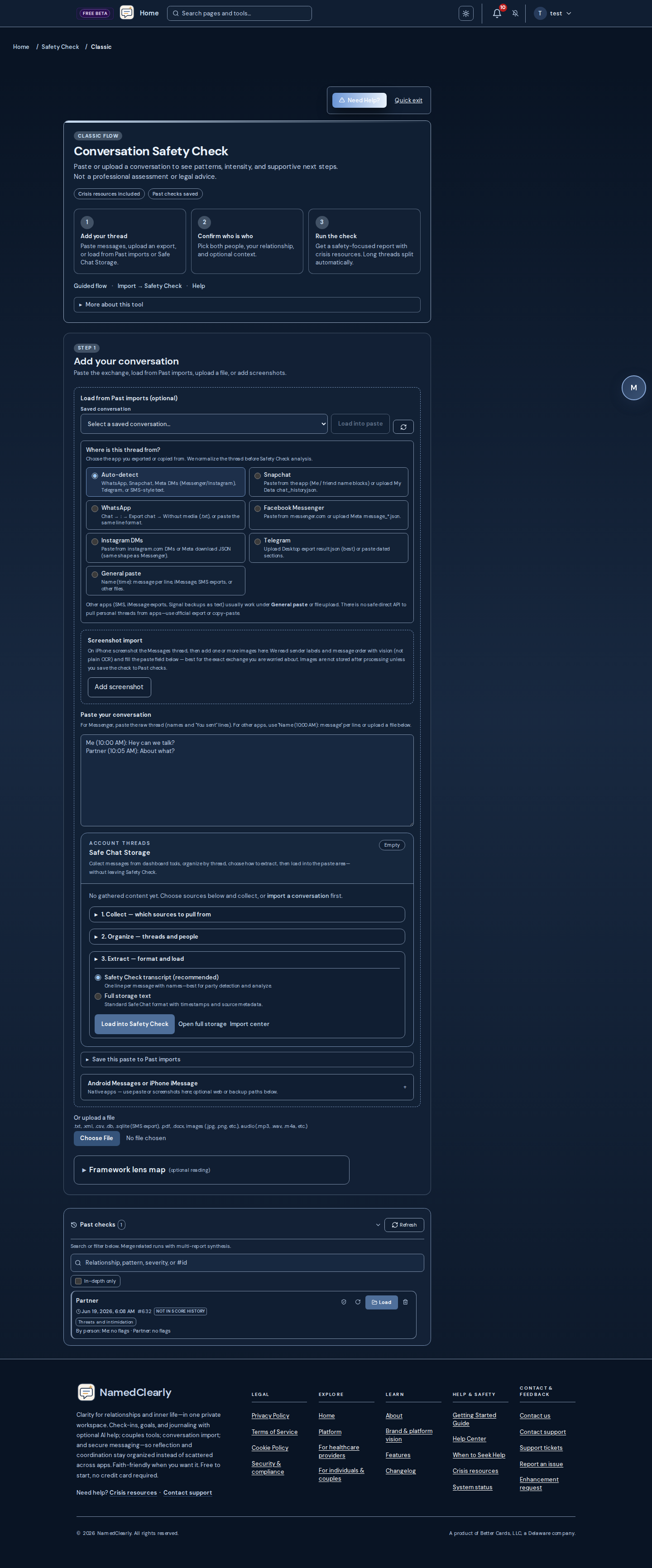
Conversation Safety Check
Most one-time checkers score a single paste and move on. NamedClearly remembers the relationship, accepts pasted text and chat exports plus audio and images, and produces line-attributed evidence you can share with a pastor, counselor, or attorney — calibrated so everyday banter and direct communication are not treated as abuse by default.
01
Pattern history across checks, not a throwaway score.
See what we know about someone over time — recurring patterns, escalation compared to your recent checks, and a longitudinal arc when you run checks in the same relationship context.
02
Upload conversations the way you actually have them.
Paste or import SMS and chat exports, upload audio recordings (MP3, M4A, WAV, WebM, MP4, and related formats — transcribed for the same pattern analysis as text), or add screenshots and image files when you do not have a text export.
03
Optional concern goals before the run.
Choose focus areas such as communication clarity, recognition, recovery after conflict, boundaries, gaslighting-style denial, validation, or dialogue coaching — so the report answers your question, not a generic severity meter.
04
Benchmarked to catch harm without crying wolf.
Regression-tested on 36 benchmark transcripts — including benign banter, flirtation, mutual support, and direct neurodiverse communication — with tracked cases where typical checkers over-flag quiet threads and NamedClearly stays at zero serious pattern buckets (6 calibration wins in the current suite). Reports lead with a severity band stabilized across your recent checks for the same relationship when scores vary; the precise /100 score and analysis version receipt sit beside it for traceability. Safeguards that remove quoted examples can show a provisional band with a one-click standard re-run. Reopening Past checks does not silently rewrite stored scores.
05
Line-attributed quotes, exports, and optional lenses.
Reports tie patterns to specific lines, show which saved analysis version produced the headline score, support timed share links and PDF/CSV export, optional Bible, Pastor’s Lens, and law-evaluation views, and a Case Prep path when counsel needs organized evidence. Victim/abuser labels stay off unless you opt in.
06
Not an isolated tab you forget tomorrow.
Couples Connect context, Longitudinal Evaluation, AI chat history, and practice workflows live in one account — so a Safety Check feeds forward instead of dying in a bookmark.
| Capability | Typical paste-in checker | NamedClearly |
|---|---|---|
| Input types | Paste text or a single screenshot | Paste, SMS/chat exports, audio upload (transcribed), images/PDFs, and mobile screenshot ingest |
| Relationship memory | One-off paste → single score or label list | Profile over time, escalation vs recent checks, up to a year of arc |
| What you are trying to learn | Generic “is this abusive?” framing | Six optional concern goals you set before the run |
| False alarms on normal chat | Often flags banter, flirt, or blunt tone | Calibrated on diverse fixtures; neurodiversity not inferred as abuse |
| Score traceability | Score can change when you reload the same paste | Band-first headline with pinned analysis version; reopening past checks does not silently re-score your data |
| How the score reads | Single number with little context when safeguards fire | Severity band stabilized across recent checks when scores vary; precise /100 plus version receipt in detail; provisional callout and re-run when safeguards adjust examples or fusion did not complete |
| Evidence & sharing | Summary paragraph only | Line quotes, share links, exports, optional legal/pastoral lenses |
| Platform depth | Standalone checker | Couples tools, Case Prep, longitudinal report, AI context |
Structured single-purpose flows plus multi-provider analysis: the codebase ships many optional provider integrations (OpenAI, Anthropic, Google, OpenRouter, gateways, and more — see the provider registry). Each integration exposes one or more model IDs when keys are set; Frankenstein runs parallel chat completions across the subset you pick on each run. There is no fixed vendor-wide “180 models” catalog wired into the product — practical concurrency is bounded by plan limits and what your deployment enables.
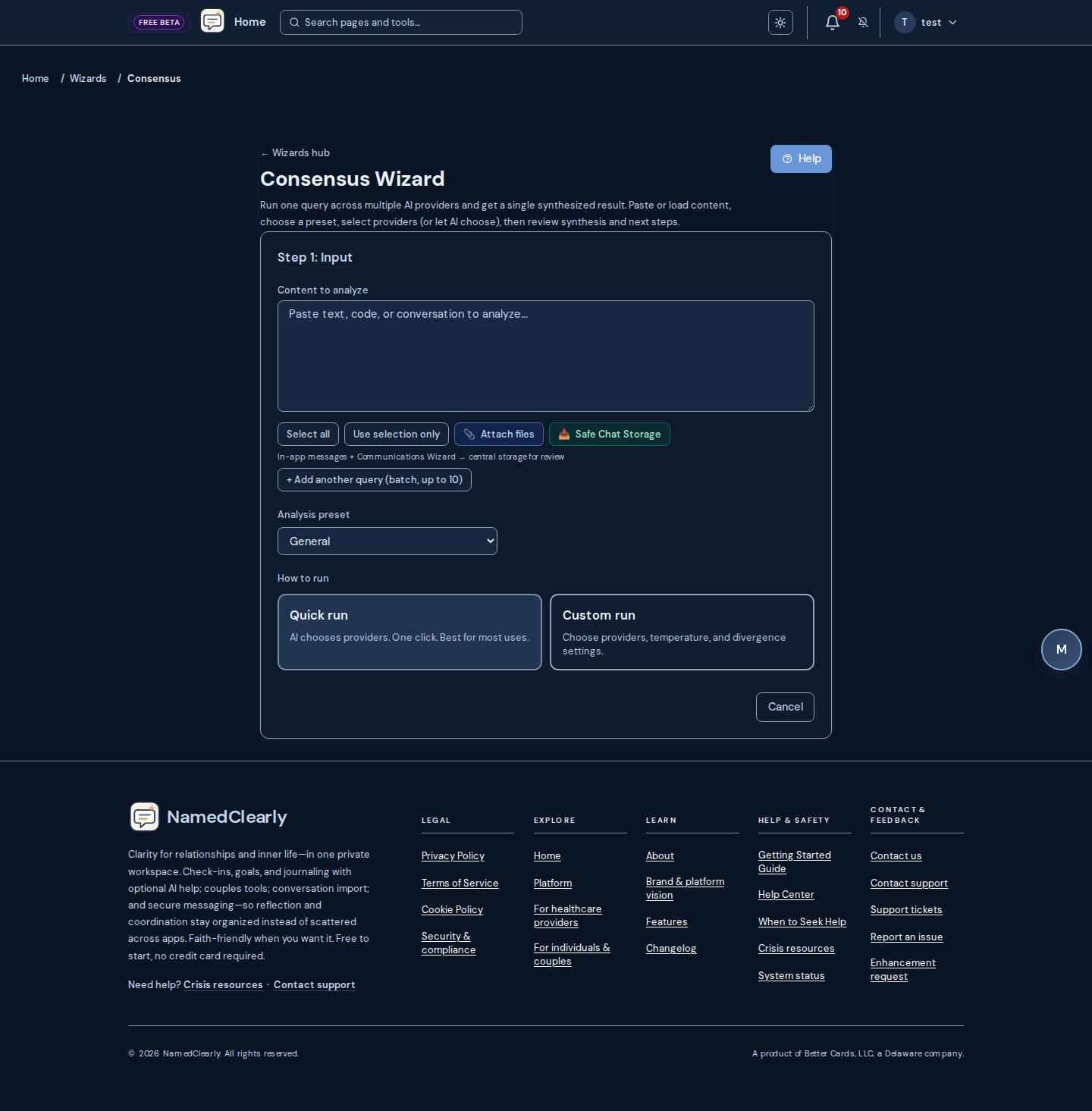
Scripture reading, memory work, prayer structure, and daily devotionals in one faith area.

Partner-aware spaces for calendars, tasks, repair, agreements, and playful connection — plan and link state may apply.
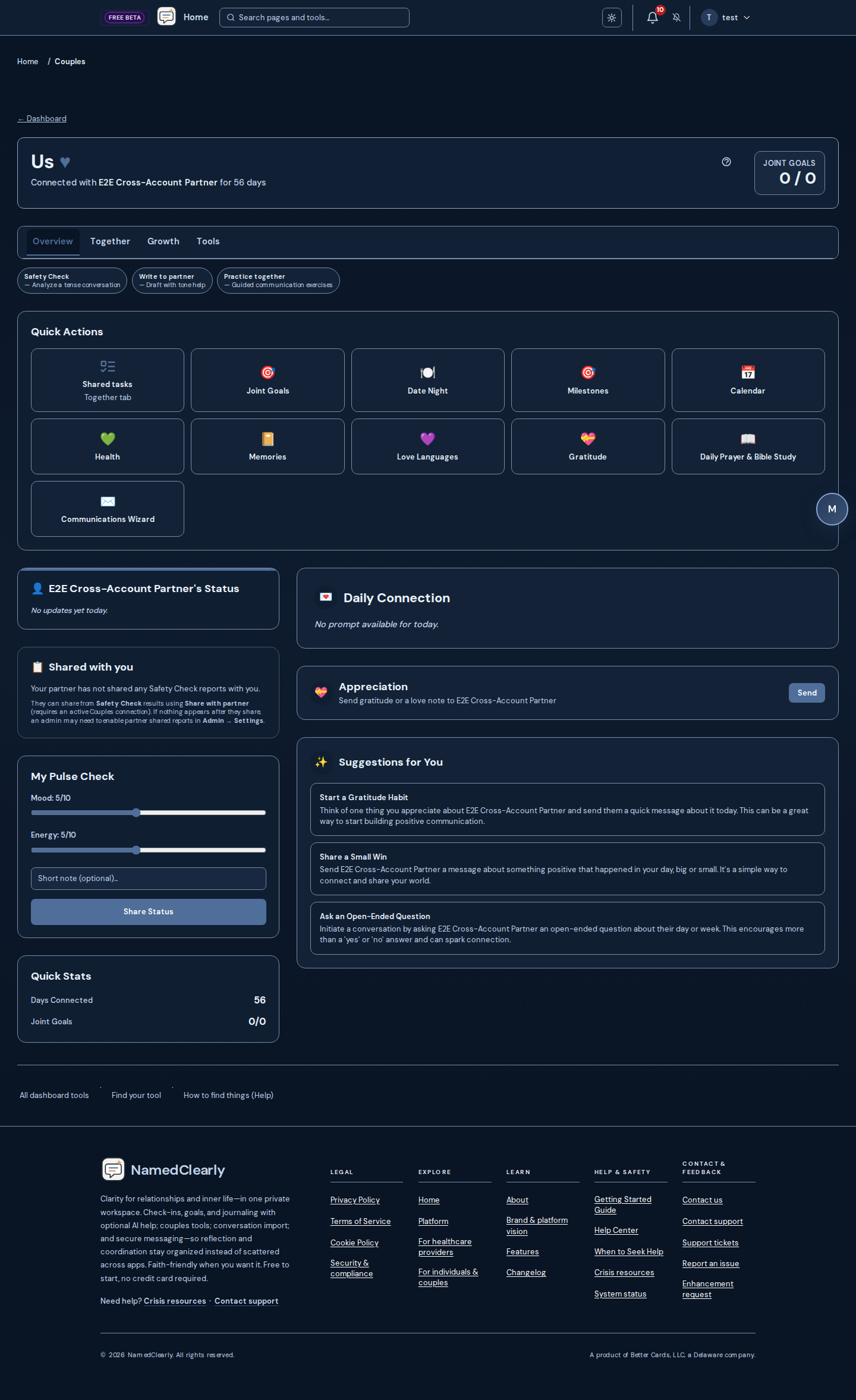
Kid-aware framing and family communication drills — availability depends on plan and configuration.
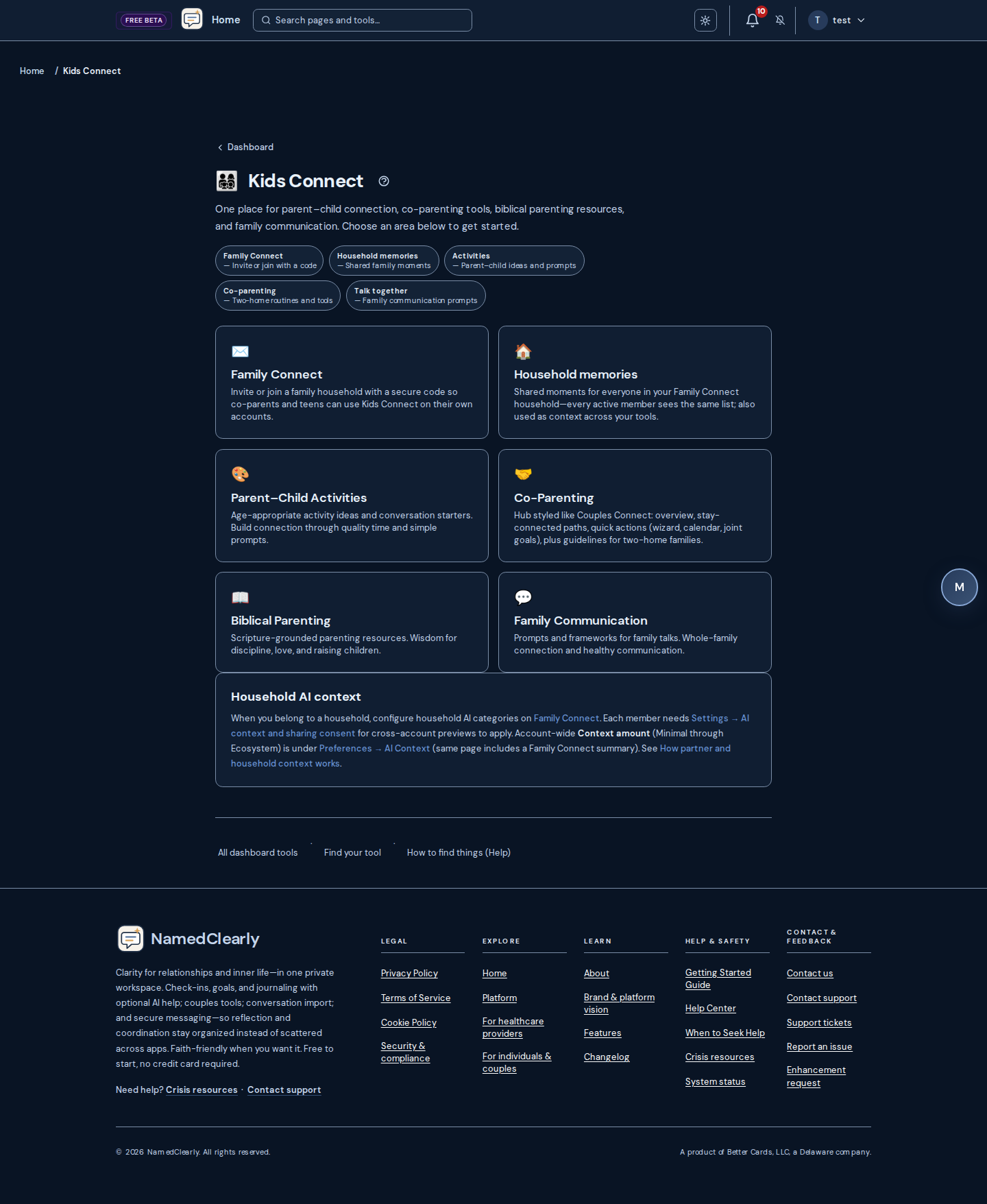
Practice coaching-style dialogue privately or share a read-only relationship profile link when your plan allows.
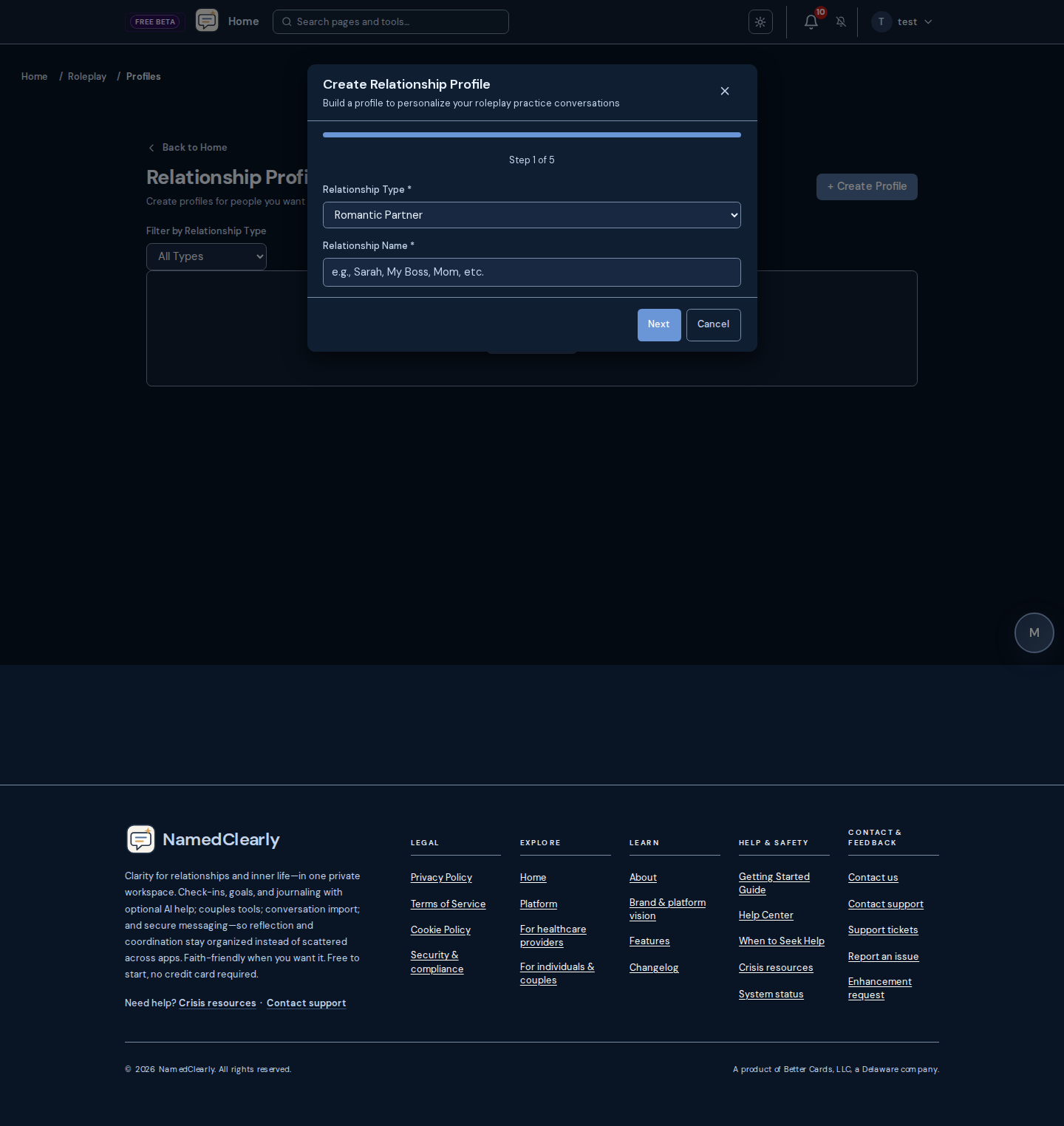
Structured therapeutic education and questionnaires — not a replacement for licensed care.
NamedClearly’s guidance, Safety Check reasoning, and schema work are grounded in a research-backed modality library spanning 80 therapeutic modalities — each rated for evidence strength and handled honestly, from gold-standard to contested to explicitly harmful. Education and psychoeducation, not clinical care.

Operate a small practice or coaching business with client-facing portal and back-office tools on eligible tiers.

Marketing-grade public pages and booking that match each practice’s site template.
Safety-oriented links, documentation, exports, and branding controls where your agreement allows them.
Many practice platforms advertise a low base tier, then add per-claim fees, prescribing bundles, and seat upgrades. NamedClearly Coach pricing is designed to stay readable before you migrate clients. See /trust for data use and subprocessors when you diligence a switch.
| Topic | NamedClearly Coach | Common tier-creep pattern |
|---|---|---|
| Monthly base (Coach tier) | $99/mo flat (annual option on /pricing) | Often tiered by clinician count, location, or feature bundle |
| Insurance claim submission fees | No per-claim fees on Coach — included in flat monthly pricing | Per-claim, per-provider, or clearinghouse pass-through charges common |
| ePrescribe | Optional add-on only (~$45/clinician/mo when enabled) | Bundled into higher tiers or sold as mandatory clinical bundle |
| Coaching vs clinical workflows | Coaching practice mode hides claims/prior-auth nav; private-pay packages stay primary | Full clinical stack visible even when you only coach private-pay clients |
| Practice AI (notes & code suggestions) | Included on Coach — not a separate paid Practice Management add-on | Often an extra module or higher tier only |
| Data export for switching | JSON pack or CSV ZIP from Practice → Export (audit logged) | Export paywalled, vendor-assisted, or manual support tickets |
When solo and small-group practices switch from tier-creep EHR stacks, operators often track three signals: admin hours reclaimed, first-pass claim acceptance, and measure completion between sessions. Use this template to frame your own before/after review — or ask us for a pilot worksheet.
Composite anonymized illustration for diligence conversations. Not a testimonial, clinical outcome claim, or performance guarantee. Your results depend on payer mix, staff workflow, and documentation habits.
Insurance billing + GAD-7/PHQ-9 between visits
One licensed clinician, ~120 active clients, mixed telehealth and in-office
Before: ~6–8 hrs on notes, invoicing, and claim re-work outside sessions
After: ~2–3 hrs with session-complete rail + AI draft notes (human sign-off)
Self-reported staff time over 4-week pilot window
Before: ~72% first-pass (manual coding, ERA triage in spreadsheets)
After: ~88–91% after code suggestions + denial reason on rejected claims
Rolling 90-day claim cohort; payer mix held constant in illustration
Before: ~35% of due measures completed before next visit
After: ~68% with portal assign + reminder + chart trend view
Clients with active measure assignments; anonymized counts only
Scheduling, portal, and package billing without clinical clutter
Two coaches, packages and session bundles — no insurance claims
Before: ~4–5 hrs across Calendly, Stripe links, and manual session notes
After: ~1–2 hrs with practice hub, portal booking, and export pack for records
Coaching mode hides claims nav; metrics exclude billing AR follow-up
Before: N/A — private-pay only
After: N/A — optional clinical mode if insurance added later
Template row left intentional for coaching diligence conversations
Before: ~40% returned pre-session prompts
After: ~75% with portal hub reminders and mobile-friendly forms
Non-diagnostic wellness check-ins; not clinical measures